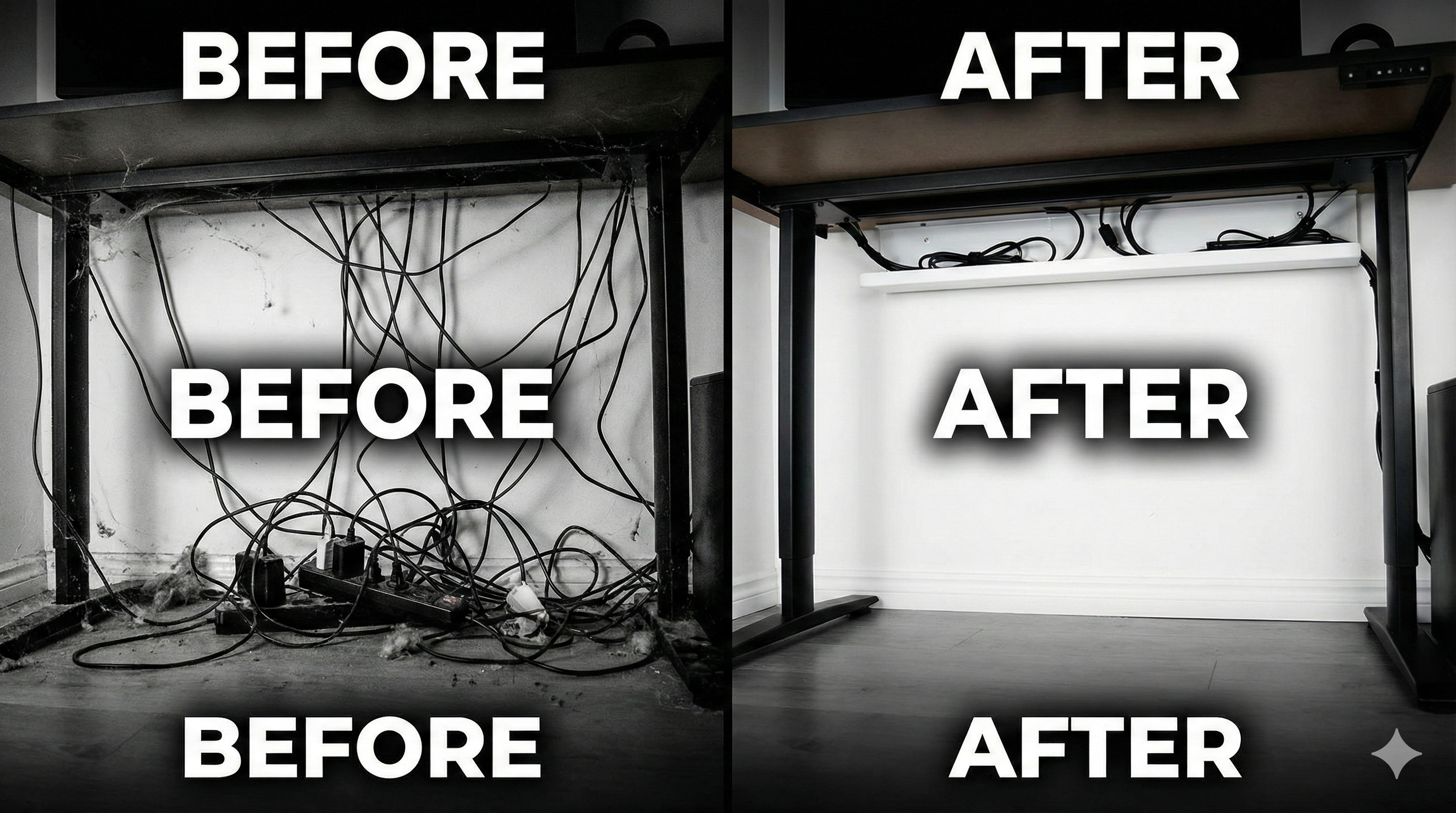
"You invite a friend over to see your new RGB gaming PC. They say 'Wow!'
Then they look under your desk.
A tangle of black snakes, dust bunnies, and power bricks stares back at them.
The illusion is broken. Your setup isn't clean; it's just hiding a dirty secret."
Cable management is the difference between a "Computer" and a "Battlestation". It improves airflow, makes cleaning easier, and honestly, it just feels satisfying. Let's fix that mess today.
"Never use plastic Zip Ties unless it's permanent. Use Velcro Straps instead. Why? Because the moment you zip-tie a cable, you will inevitably need to unplug it 5 minutes later."
Step 1: The 'Nuclear' Option (Start Fresh)
Don't try to organize the existing mess. It won't work.
Unplug EVERYTHING. Yes, everything. Monitor, mouse, keyboard, power. Start with a blank canvas. This is the only way to route them cleanly.
Step 2: Monitor Arms are Essential
If your monitor is sitting on its original stand, you are losing the battle. Monitor arms not only free up desk space but have built-in channels to hide HDMI and Power cables.
Run the cables through the arm so they look like they are floating in mid-air.
Step 3: Hide the Power Strip
The ugliest thing in any setup is the power extension board sitting on the floor.
Solution: Buy a 'Cable Management Tray' or simply use double-sided heavy-duty tape to stick the power strip UNDER your desk.
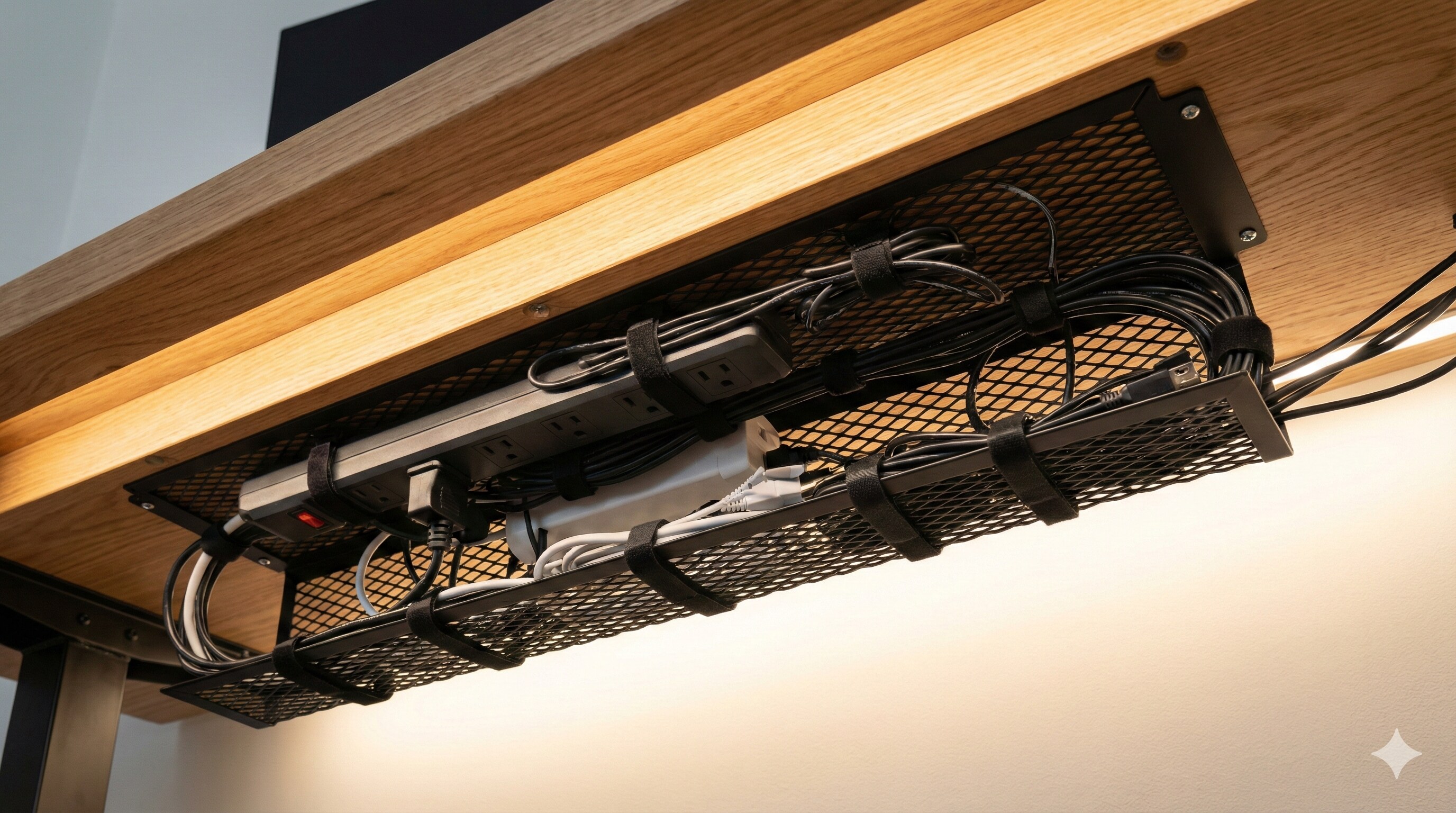
Step 4: Grouping (The Spine)
Gather all cables coming down from your PC (Mouse, Keyboard, LAN). Group them together into one thick bundle using a Cable Sleeve or Velcro straps.
One thick cable looks much cleaner than 10 thin spaghetti wires hanging down.
Step 5: Wireless Peripherals?
The ultimate cable management is... no cables. In 2026, wireless mice and keyboards have zero latency. If you can afford it, switch to wireless to eliminate the clutter entirely.
Conclusion: Zen Mode Activated
A clean desk leads to a clean mind. When you sit down to game and don't see a single wire, you feel more focused. It takes 2 hours of work, but the result is worth it.
Need a new gaming chair for your clean setup? Read our Chair Guide.