"Remember when you first bought your phone? It was blazing fast. Apps opened instantly. Games ran like butter.
Six months later... it feels like a turtle. You click 'Open', and the phone thinks for 5 seconds.
The culprit? Digital Junk. Your phone is hoarding useless files like a messy room. Let's clean it up."
Every app you use stores temporary files called "Cache". Over time, this builds up to gigabytes of useless data that slows down your processor. Clearing it gives your phone a fresh breath of air.
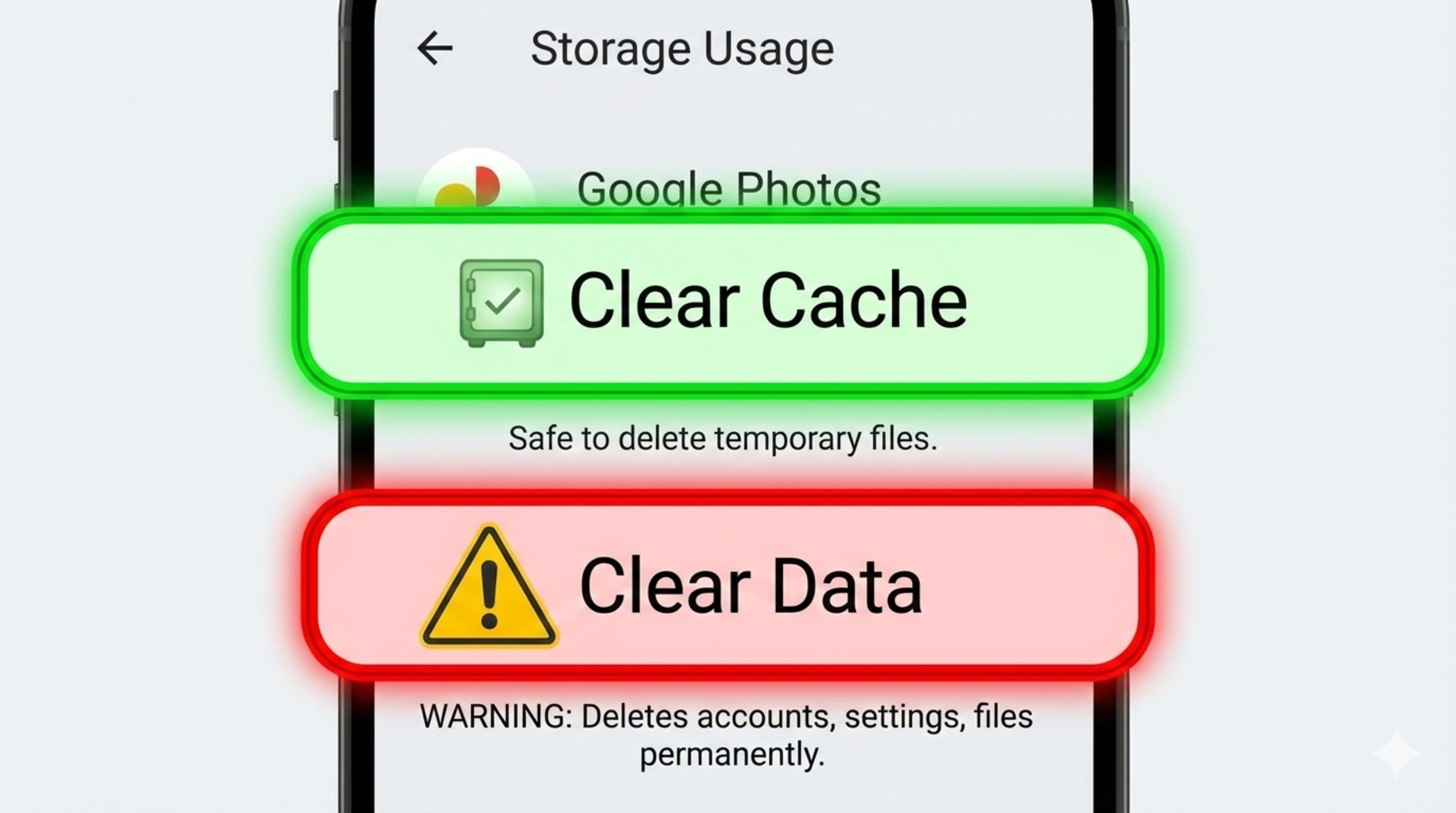
Do NOT confuse "Clear Cache" with "Clear Storage/Data".
Clear Cache = Good (Deletes temporary junk).
Clear Data = Bad (Deletes your login, game progress, and settings). Be careful!
Step 1: Identify the "Fat" Apps
Not all apps are equal. Some are worse than others. Social media apps are the biggest offenders.
- Instagram/TikTok: These can hoard 1GB+ of cache just from scrolling reels.
- YouTube: Saves thumbnails of every video you scroll past.
- Chrome: Keeps every website image you've ever seen.
Step 2: How to Clear Cache Safely
Don't use third-party "Cleaner" apps; they often contain ads and malware. Use the built-in Android settings:
- Go to **Settings > Apps**.
- Find the heavy app (e.g., Instagram or BGMI).
- Tap on **Storage & Cache**.
- Tap the button that says **"Clear Cache"**.
- Watch the "Cache" number drop to 0 B. Satisfaction!
Step 3: Should You Clear Game Cache?
Yes and No.
If your game (like COD Mobile) is crashing or glitching, clearing the cache can fix it. However, games store maps and skins in cache sometimes. If you clear it, the game might need to re-download 50MB of data next time you open it.
Verdict: Only clear game cache if the game is lagging or stuttering. Otherwise, leave it alone and focus on clearing social media apps.
Step 4: The 'Restart' Magic
It sounds stupid, but restarting your phone is the best cleaner. It flushes the RAM (temporary memory) completely.
Make it a habit to **Restart your phone once a week** before a long gaming session. It closes hidden background processes that you didn't even know were running.
Conclusion: A Clean Phone is a Fast Phone
You don't need a new phone; you just need to take out the trash. Spend 5 minutes every Sunday clearing the cache of your top 5 apps, and your phone will stay fast for years.
Phone still slow after cleaning? It might be time to check if your Display Settings are holding you back.